Java Persistence API (JPA) ~ Part 1 ~ The basics
What is persistence?
Applications are designed to store and manipulate data in a remote datasource/database so that it can be retrieved, processed, transformed or analyzed at a later time. Persistence refers to the information that continues to exist after the process or application that created it is no longer running.
Data that is stored in-memory will disappear after the application terminates but data that is persisted to a database is independent of the application and will exist after the application is terminated.
Information and data storage options include:
- Databases
- NoSQL
- Files
- Disk
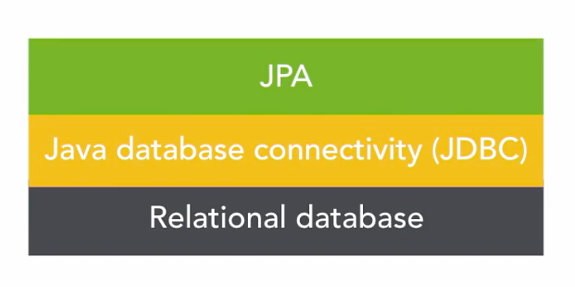
The Java Persistence API (JPA) specification facilitates communication for accessing, persisting and managing data between Java objects, classes and relational databases.
Object relational mapping (ORM)
Data is organized in a relational database using tables with columns and a unique key identifying each row. Rows in a table represents instances of that type of data and can be linked to rows in other tables by including a column for a unique key of the linked row, called a foreign key.
Object oriented programming languages organize code into objects and classes and make use of methods, inheritance, encapsulation, interfaces, etc which a database does not understand.
ORM brings Java objects and relational databases together through object relational mapping where objects can be mapped to tables and vice versa.
JPA
The Java Persistence API or JPA is a Java EE API specification for accessing, persisting and managing Java objects in a relational database. JPA supports Object-Relational Mapping (ORM) for Java applications with relational data using an annotated object model for persisting data to a relational database and simplifying CRUD operations. The Java application does not contain any SQL but any underlying SQL is handled by the JPA provider.
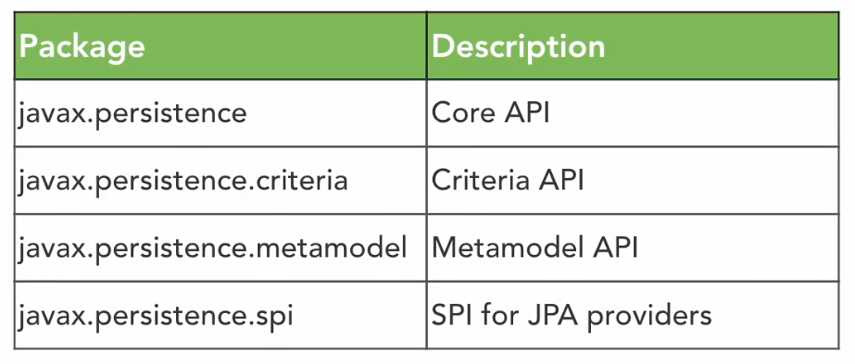
There are 4 implementations of the JPA specification:
- EclipseLink from Oracle
- Hibernate from JBoss and RedHat
- OpenJPA from IBM
- Data Nucleus from JPOX
The mapping between Java objects and database tables is defined via the persistence metadata. The JPA instance provider uses the persistence metadata information to perform the correct database operations.
JPA configuration and entities
There are 2 ways the define JPA metadata.
- Via Annotations in the Java class
- XML configuration
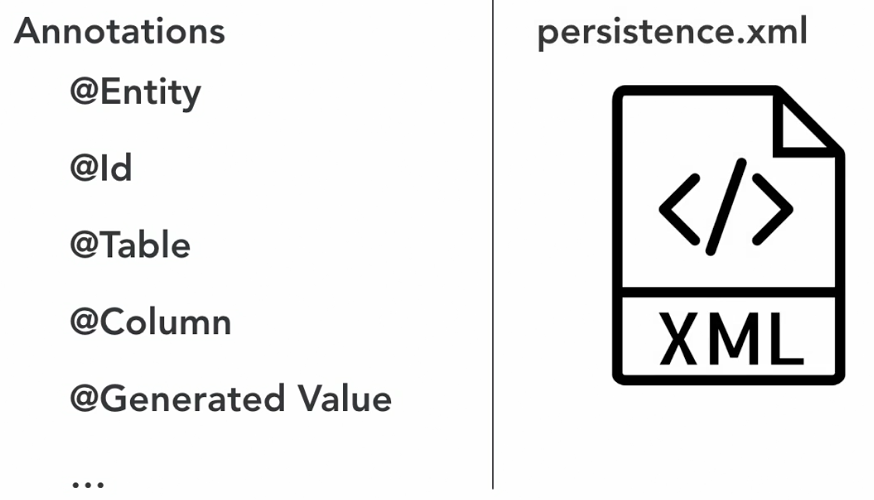
Entities are objects that live in a database and have the ability to be mapped to the database. Entities are defined by the @Entity annotation, have a unique identifier and support inheritance, relationships, etc. JPA is flexible in that it can map any entity to a table.
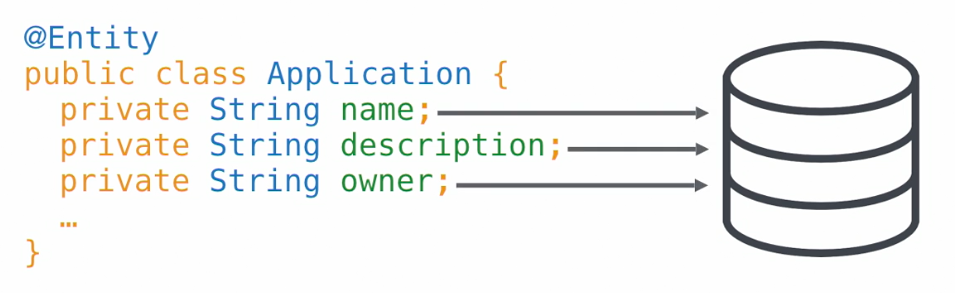
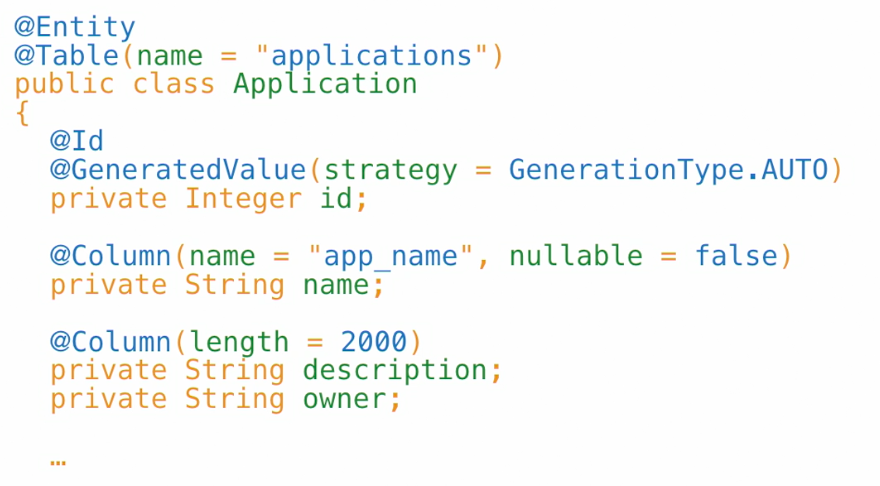
| @Entity | Defines a class that can be mapped to a table |
| @Table | Name of the underlying table the entity is mapped to |
| @Id | Marks a field as a primary key field |
| @GeneratedValue | Generates a unique identifier for the entity |
| @Column | Changes the name or length for any column in the database |
Once the entity has the correct mapping metadata, JPA allows you to query the entity in an object-oriented way. The entity manager is responsible for orchestrating this process. The entity manager API performs database CRUD operations to persist, update, retrieve or remove objects from the database.
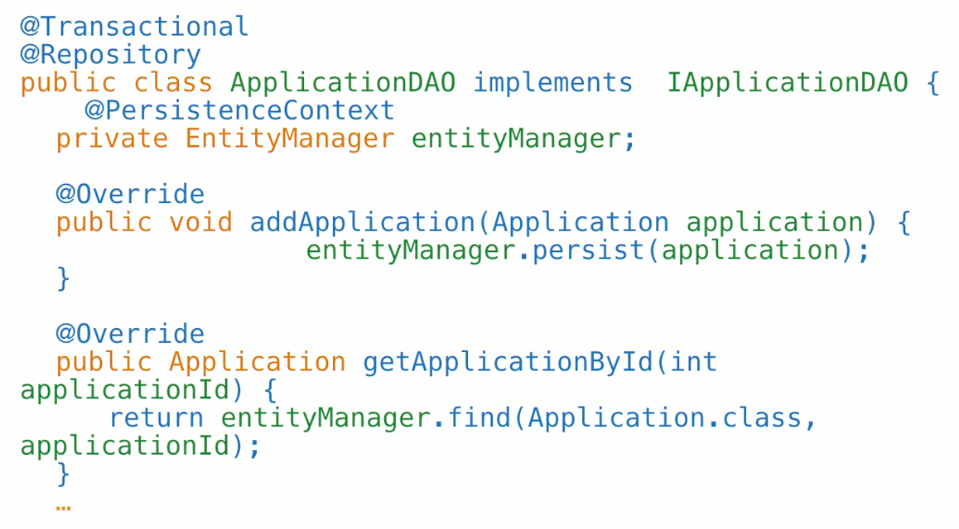
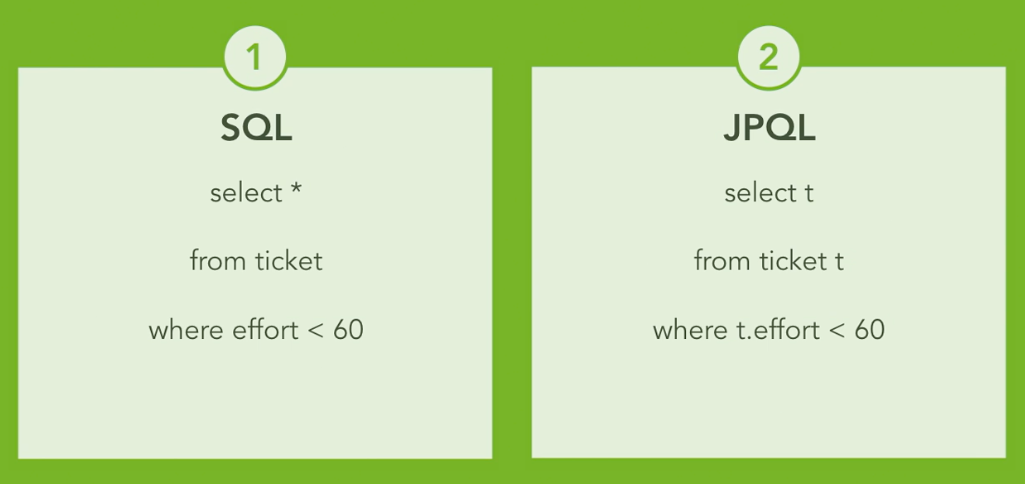
The entity manager API handles most of the database operations without requiring you to implement JDBC or SQL code to maintain persistence. JPA comes with Java Persistence Query Language (JPQL), an object-oriented query language wither greater flexibility. JPQL query results are returned as a collection of entities instead of rows like in SQL. JPA doesn’t support schemaless or NoSQL databases as well as JSON.
Why use JPA over JDBC?
JDBC is a low-level Java API that provides the ability to interact with relational databases and in a way serves a similar purpose as JPA so why would you choose JPA over JDBC?
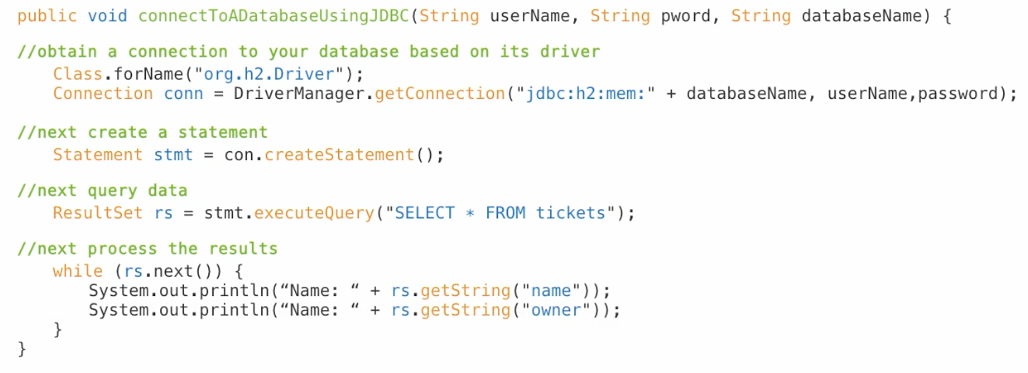
JPA saves time and is more efficient by being a higher-level abstraction, JPA maps Java objects and code to database tables and hides the sometime complex SQL from you. JPA implements all the CRUD operations for you. You also don’t have to translate a ResultSet to a Java object like you would in JDBC, JPA handles the mapping for you.
JDBC steps
- Database connect
- Query database
- Update data
- Process query results
JPA benefits
- Write less code
- More efficient
- Improved performance